Integrating The FireGiant MSIX Extension
Reference the FireGiant MSIX Extension
Section titled “Reference the FireGiant MSIX Extension”The FireGiant.HeatWave.BuildTools.Msix.wixext WiX extension must be added to your WiX project.
Change the project OutputType
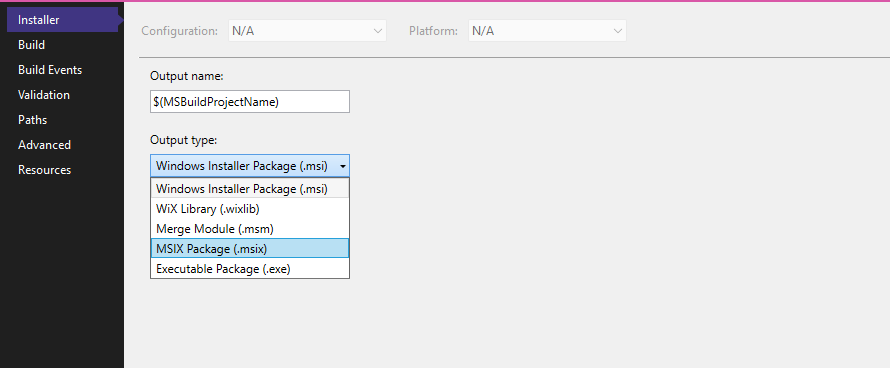
Section titled “Change the project OutputType”Right click on your project and select Properties to bring up the Project Properties page. Change the Output type to “MSIX Package”.
Author MSIX package properties
Section titled “Author MSIX package properties”Once the MSIX Extension is referenced, the build process creates both MSI and MSIX packages. MSIX packages require some MSIX-specific information in your authoring before the FireGiant MSIX Extension can successfully create an MSIX package. To do so:
First, declare the MSIX Extension’s namespace in your .wxs source code. Add xmlns:msix="http://www.firegiant.com/schemas/v4/wxs/heatwave/buildtools/msix" to to the Wix element:
<Wix xmlns="http://wixtoolset.org/schemas/v4/wxs" xmlns:msix="http://www.firegiant.com/schemas/v4/wxs/heatwave/buildtools/msix"> <Package ...>Then provide the identity information required by MSIX packages. Add the following element to your Package element:
<msix:Msix Id="Example" Publisher="CN=Example" />Naturally, you will want to change the Id attribute to something that better describes your package. The Publisher attribute must match the subject of the certificate that will be used to sign the MSIX package.